Support
Support in the sidebar is where you ask about anything on an organization. This covers a limit, a bill, a build that won't come up, or an account somebody can't sign in to. A person answers these, so it won't be instant. No robot filters or triages it on the way in either.
A request belongs to the organization it's about, so anybody in that organization can read the thread and reply to it.
Asking
Pick what it's about, say what you need, and send it. The subject is optional—leave it empty and the form takes the first line of your message, which is usually the right title anyway.
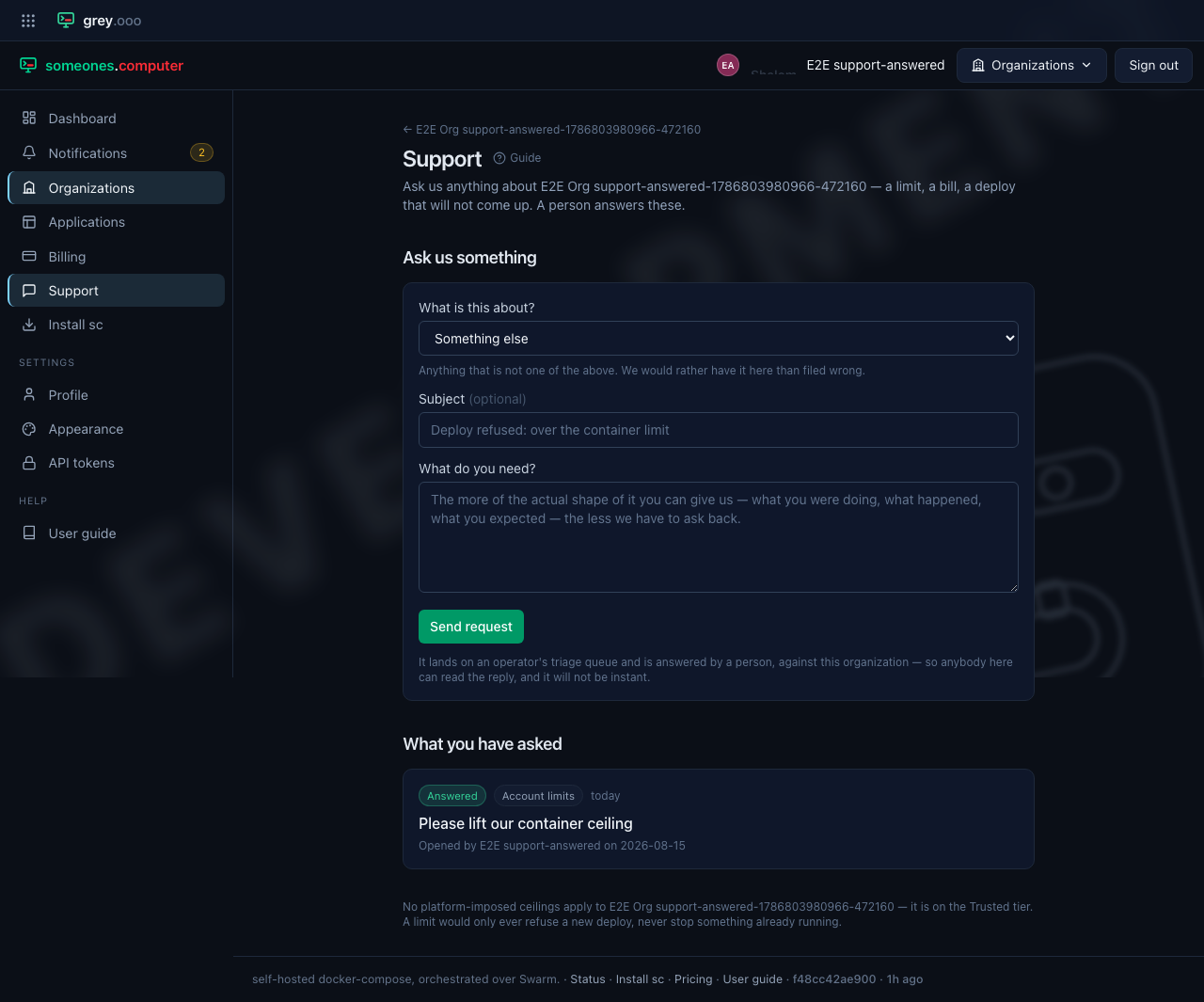
The topic is a hint for whoever picks the request up, not a filter that decides whether anyone reads it:
| About | What belongs there |
|---|---|
| Account limits | You have been refused a deploy, or want to know what this account may run |
| Billing and credit | Credit, top-ups, or a figure on the ledger you can't account for |
| Deploying and builds | A build that failed, a revision that won't come up, or compose the platform would not accept |
| Account and access | Signing in, members, API tokens, registry keys |
| Something else | Anything that's not one of these |
"Something else" is a real answer, not a bin. If nothing fits, use it. The team would rather get a request filed as itself than forced into the wrong box.
The more of the actual shape of the problem you can give—what you were doing, what happened, what you expected—the fewer times the team has to ask back.
If you were refused a deploy
Every refusal links here, and for a capped account the page puts the ceilings first, before the form: what this organization may run, and the two ways out of the new-account tier.
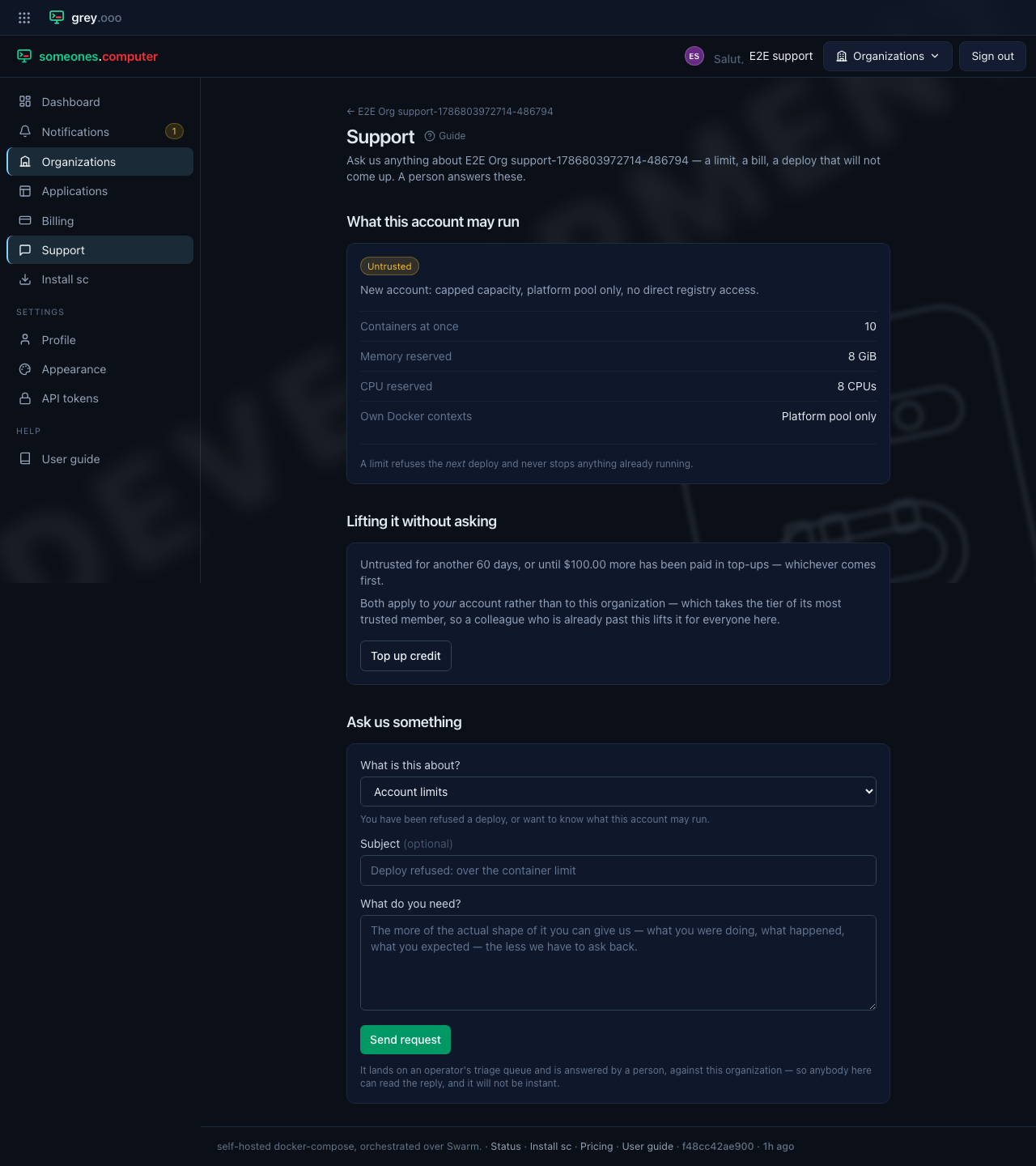
Two things about a limit are worth knowing:
- It refuses the next deploy and never stops anything already running. Going over a ceiling costs you the deploy, not the site.
- The ceiling belongs to the organization, and the organization takes the tier of its most trusted member. A colleague who is already past the new-account tier lifts it for everyone, so inviting somebody established is a real answer to "how do we get more room".
Getting out of the new-account tier takes one of two things, whichever happens first:
| Route | What it takes |
|---|---|
| Wait | 60 days from when the account was created |
| Pay | $100 in top-ups, at which point the account graduates immediately |
Both are properties of your account rather than of the organization, and the page shows how much of each is left. If an operator has pinned your account to a tier, neither applies and the page says so—asking is then the only route.
Once there is nothing capped, the ceilings disappear from the page entirely and one line at the foot says so.
A refusal can also be about the image itself, not a limit. Every deploy is scanned before it goes live, and one that turns up something—malware, or a live credential baked into a layer—goes into quarantine rather than a ceiling refusing it. That kind of refusal doesn't go away by waiting or paying it off—file it under the earlier Deploying and builds topic and the team will look.
Following a request
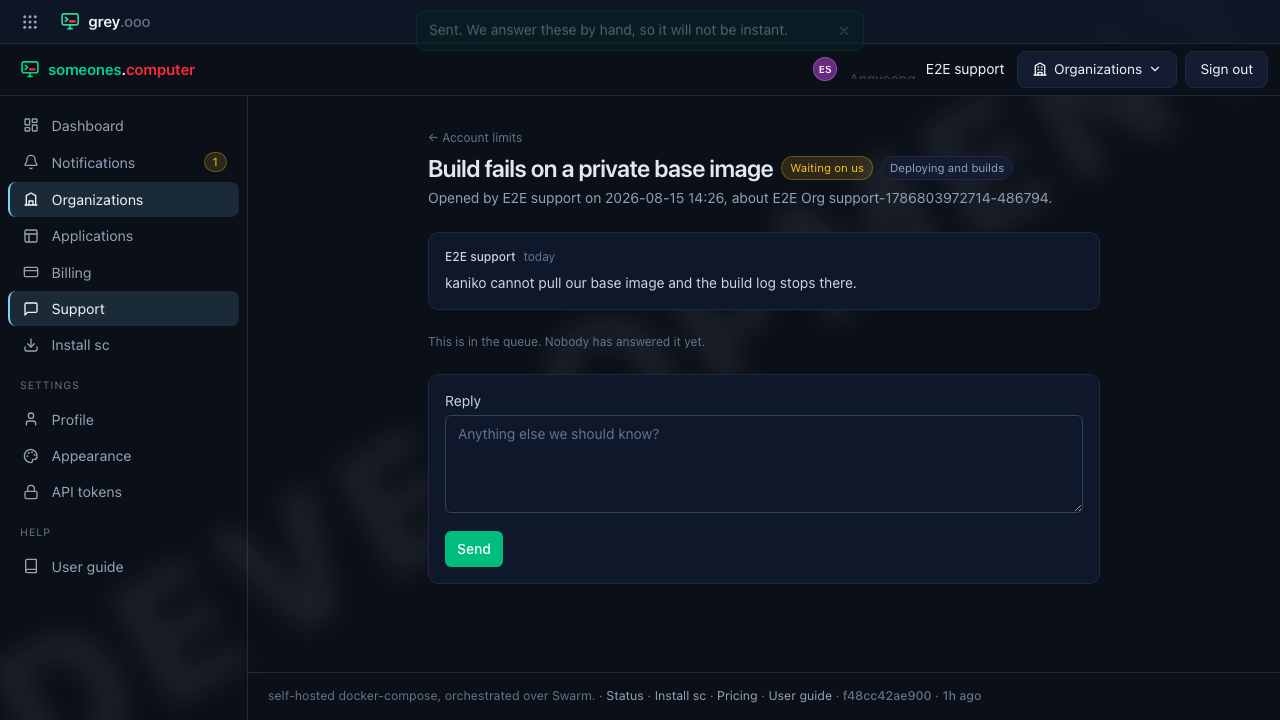
A sent request opens its own thread. While nobody has picked it up yet, it says so rather than leaving you to guess from the absence of a reply.
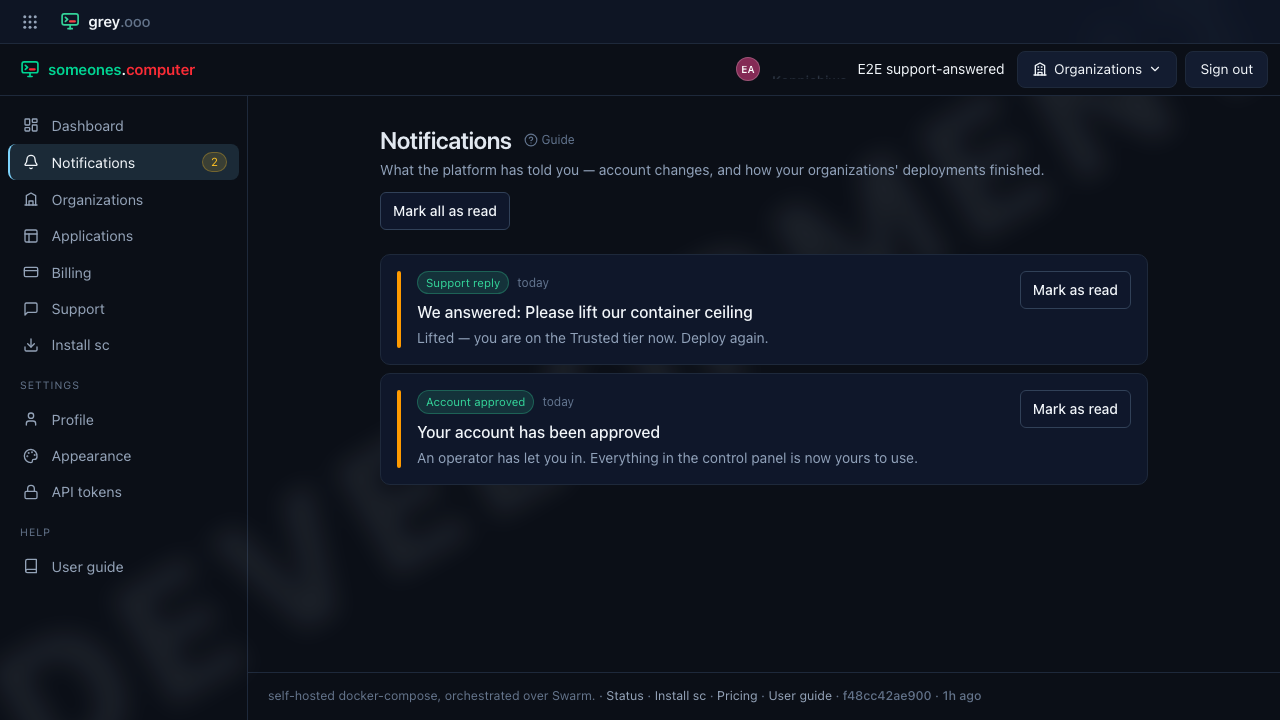
When we answer
The reply lands as a notification for everyone in the organization, with the text of the answer in it, so you don't have to keep coming back to check.
If a resolved thread doesn't fit and you aren't done, just reply—that reopens it. There is nothing to reopen by hand and no need to start a second request.
For operators
Every tenant's requests land in one queue at Admin → Support, oldest unanswered first, with a count on the sidebar so nothing waits unnoticed. Each row carries what it's about, so a declined card and a refused deploy are visibly different things in a list of twenty.
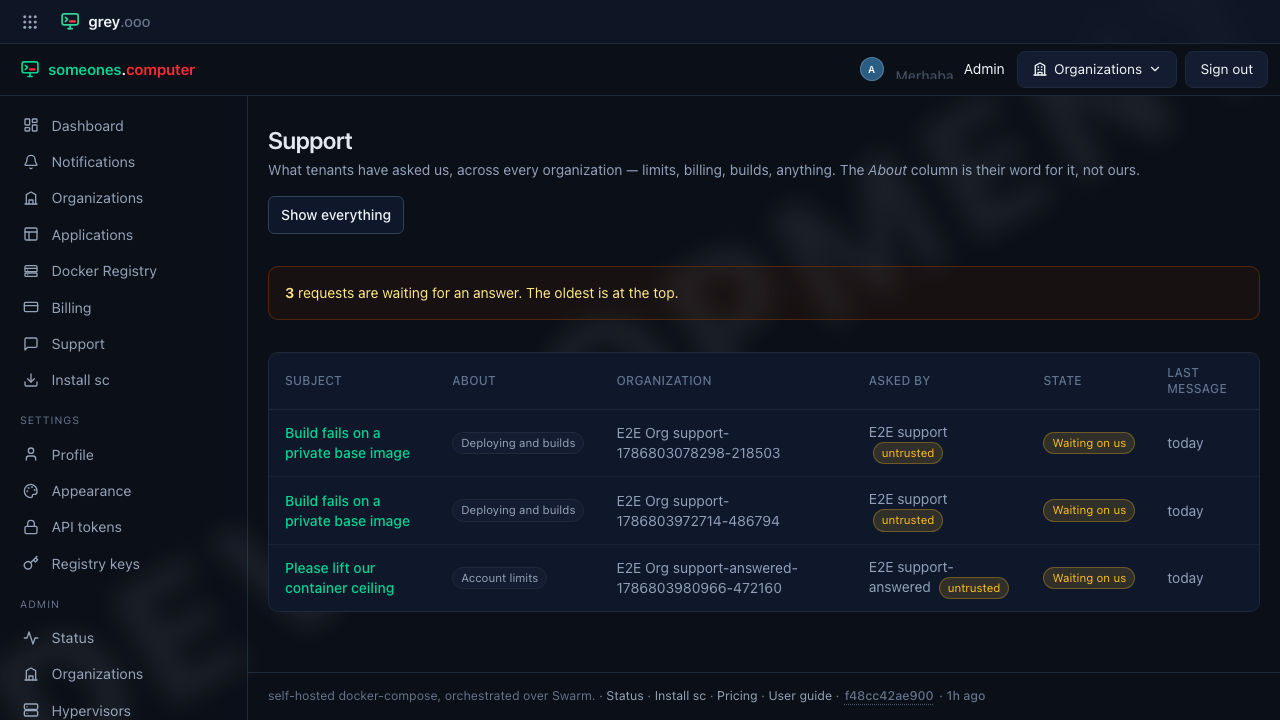
Opening one puts everything the decision needs beside the conversation: who is asking and what tier they're on, how what the organization is running compares to its ceilings, and what it has left to spend.
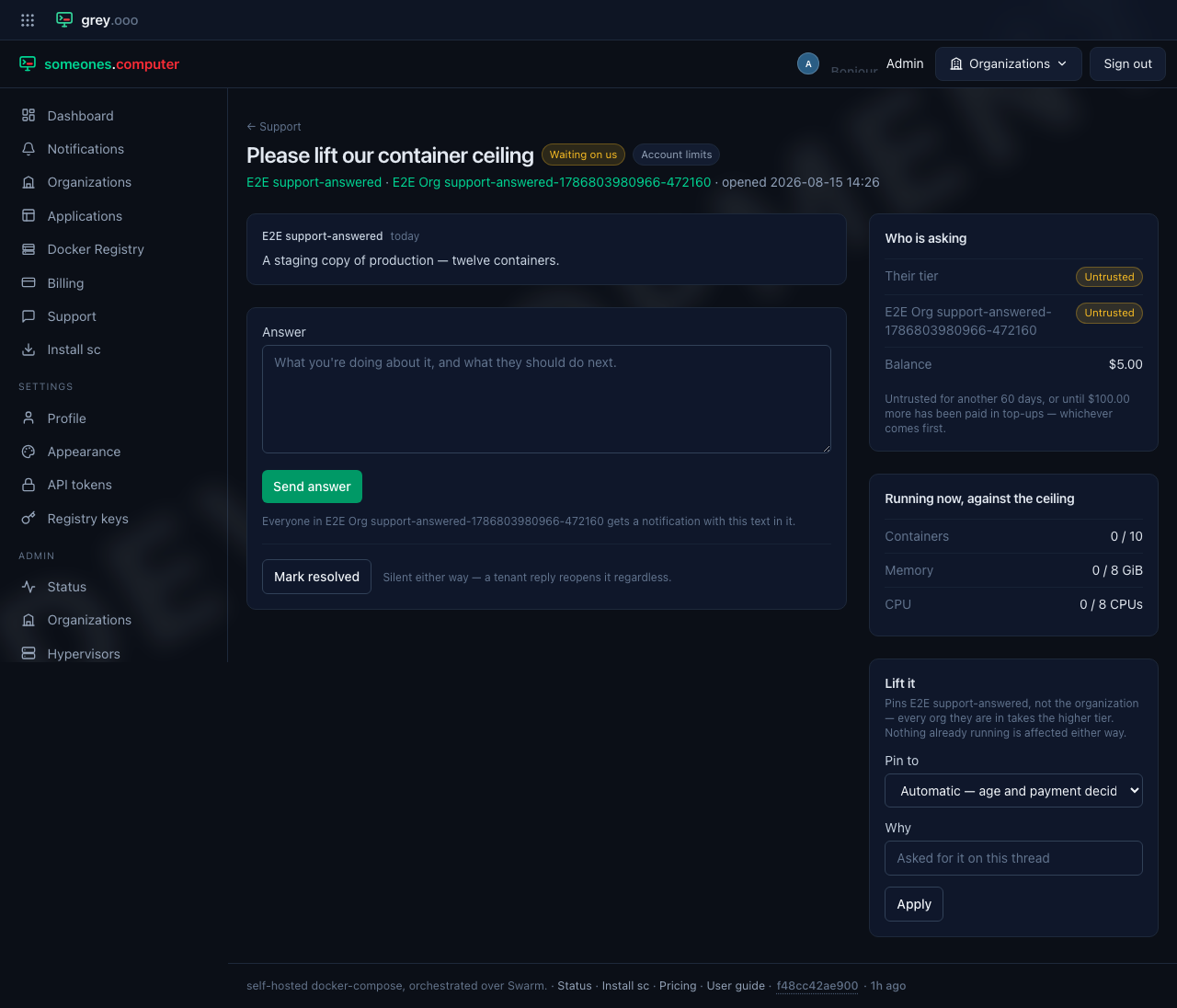
Lifting a limit happens on this screen, not on the user panel. The pin applies to the person who asked (every organization they're in takes the higher tier), it records the reason, and it returns you here—so the reason gets written while the conversation that justified it's still in front of you.
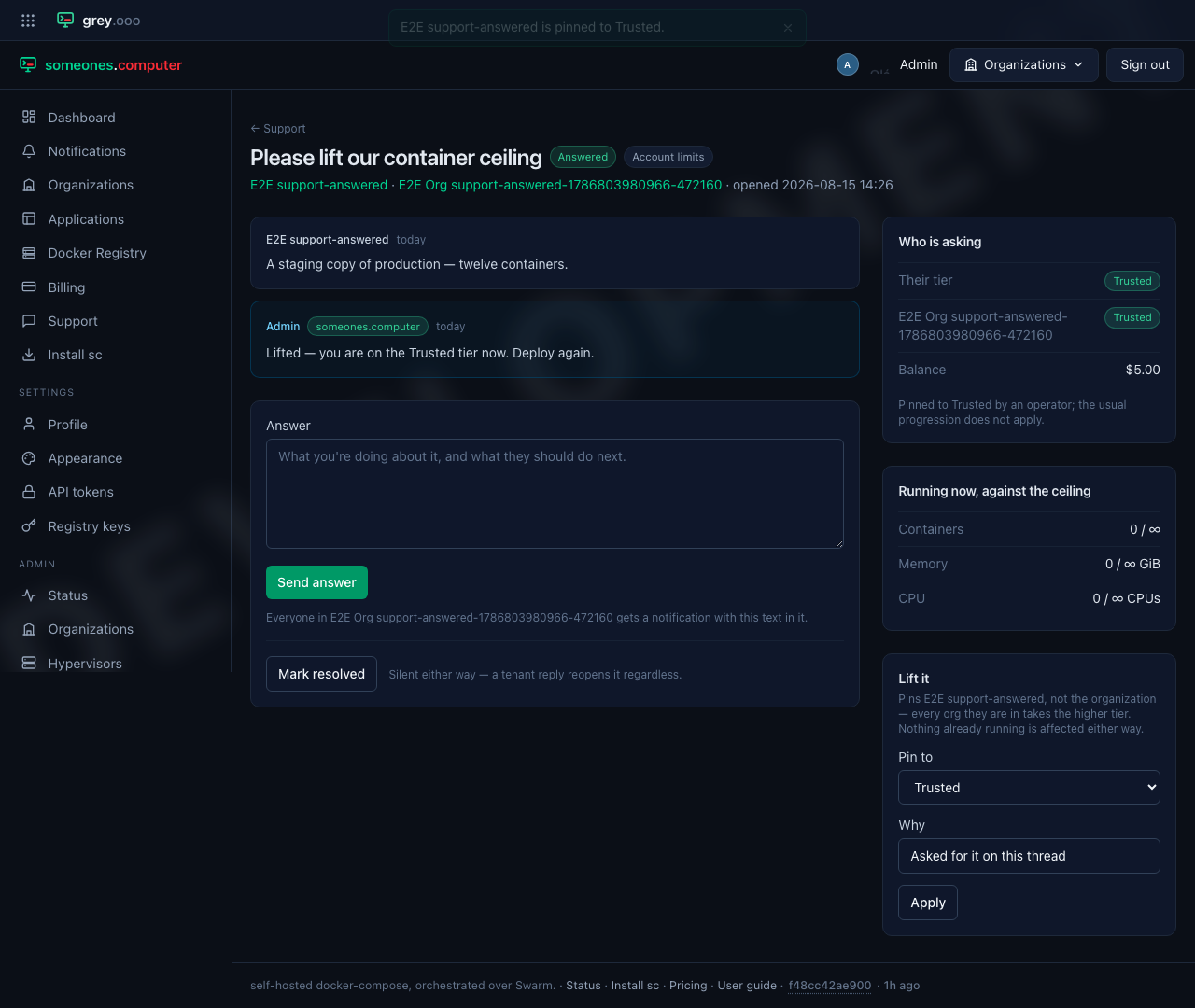
Marking a thread resolved tells nobody, on purpose: it's bookkeeping. A tenant reply reopens it either way.