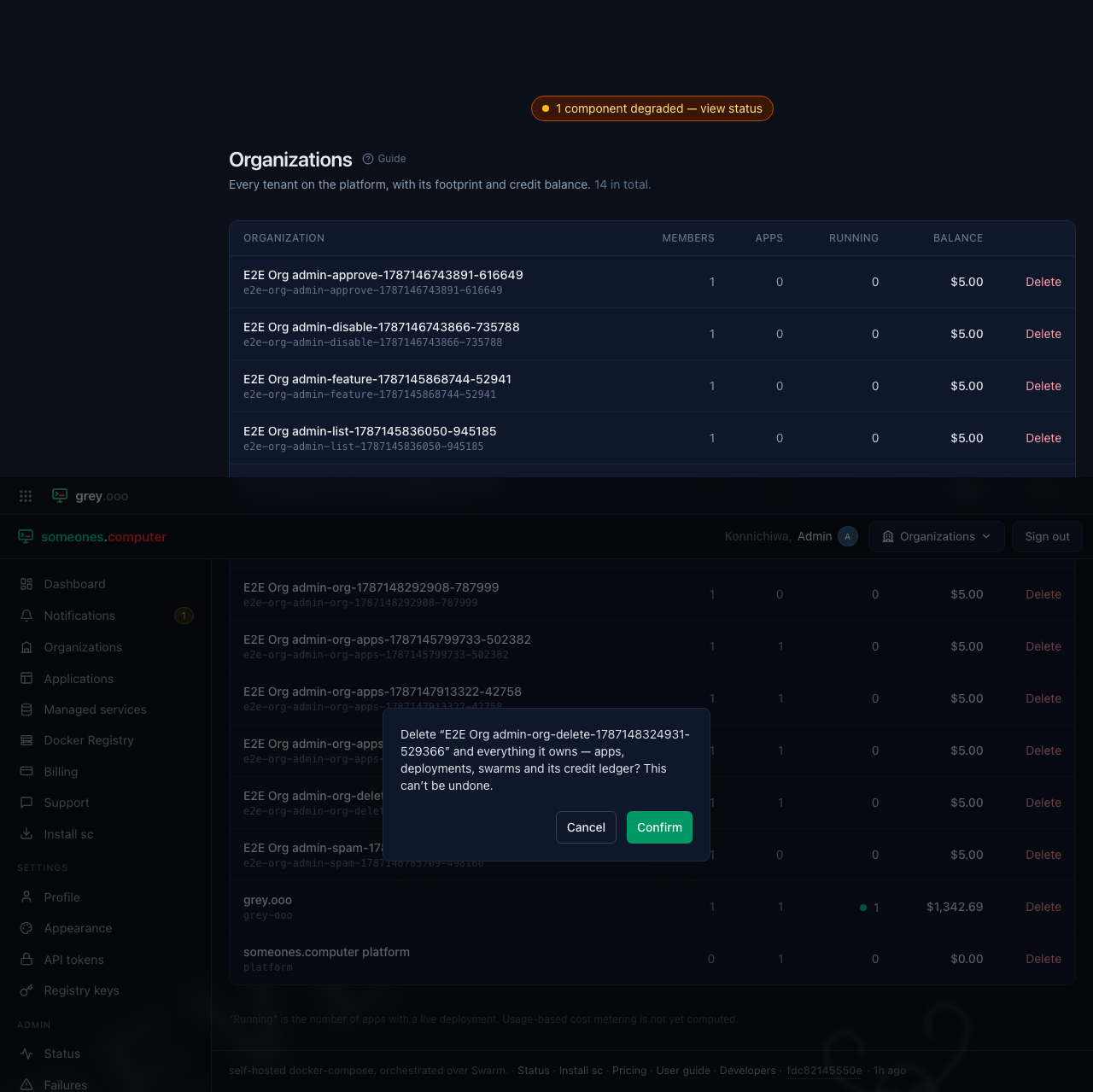
All organizations (platform admin)
Every tenant on the platform, cross-tenant—unlike the member-scoped Organizations page, which shows only the ones you belong to. It lives under Admin → Organizations and requires the platform-admin role. This is also the only place an organization can be deleted.
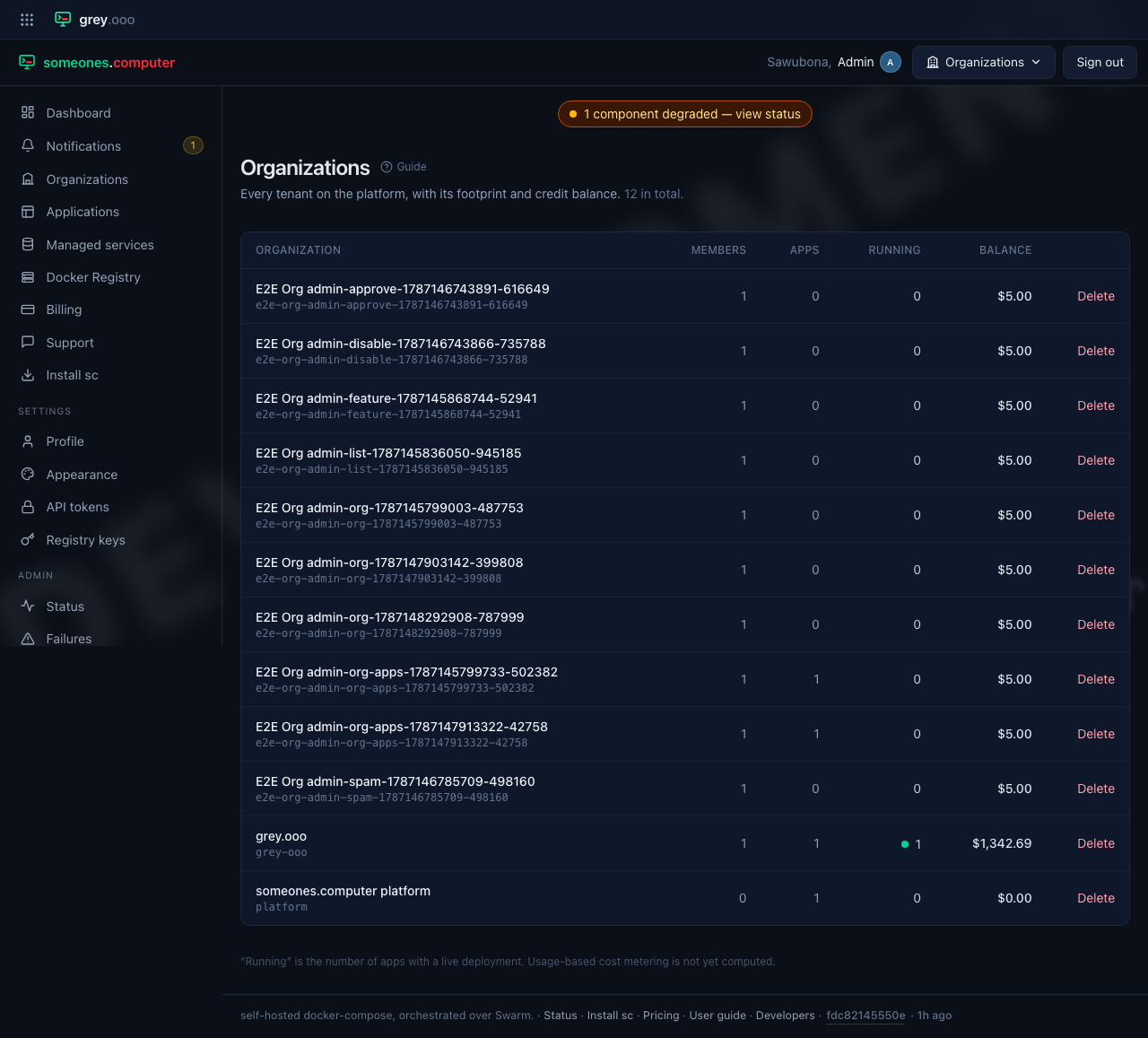
| Column | Means |
|---|---|
| Organization | Name and slug, linking to its detail page. |
| Members | How many accounts belong to it. |
| Apps | How many applications it has created. |
| Running | How many of those have a live deployment right now. |
| Balance | Its credit balance—amber and shown with a minus sign when it has gone negative. |
Opening one gives the full picture: its members (cross-linking into the user panel), its applications and what each is currently running, its credit ledger, and what its own compose files have asked for that the platform already strips before anything reaches a scheduler.
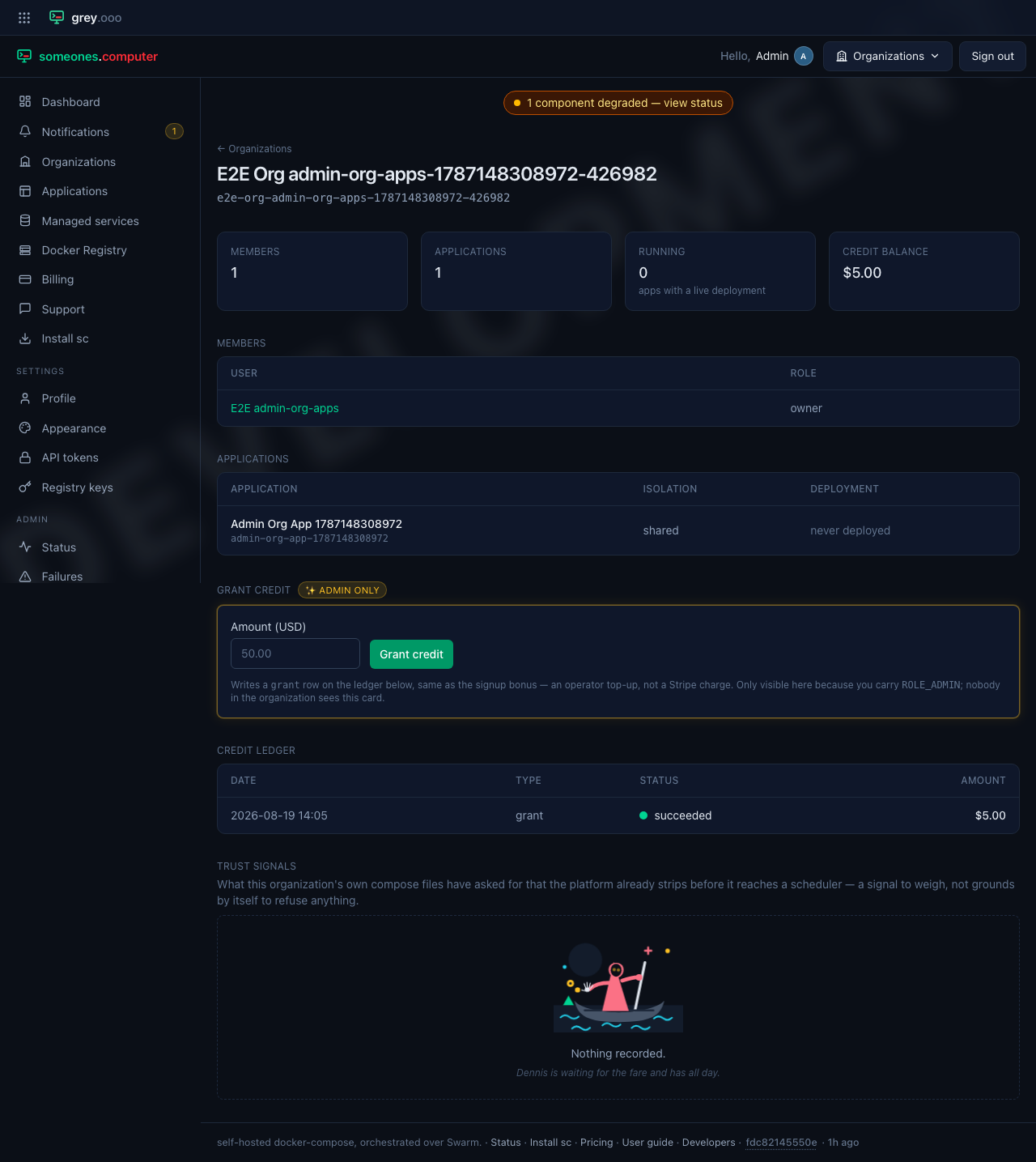
Trust signals is that last part—a record, not a judgement. A compose
file asking for privileged or a /var/run/docker.sock mount tells you
something about the account, whether the platform ever acted on it or not.
The platform always strips the request before it reaches anything. This page
is where that fact gets written down, rather than discarded.
Grant credit writes an operator top-up straight onto the ledger, the same shape as the signup bonus every account starts with—not a Stripe charge, and visible only here.
Delete removes the organization and everything it owns—applications, deployments, contexts, its credit ledger. It never removes the account itself. A deleted organization's former members stay on the platform, just members of nothing. It asks first: