Domains
Every application is reachable at an address the platform assigns it —
<app>-<org>.someones.computer. If your organization and application names are
long enough to push that first part past 63 characters—the most a name can be—the
platform shortens it, ending it with a few characters that keep it unique.
That shortened address is the real one: it never changes, two applications never
share one, and it's what you hand out. Custom domains are an extra way in,
never a replacement: the assigned address keeps working whatever you do here, which is
what makes a mistake in a zone file recoverable.
Domains belong to the organization, not to an application. You bring
acme.com once; which application answers on www is a separate decision you
can change later. Open them from the Domains pill on an organization's page.
Adding a domain
Enter the zone apex—acme.com, not www.acme.com and not an address.
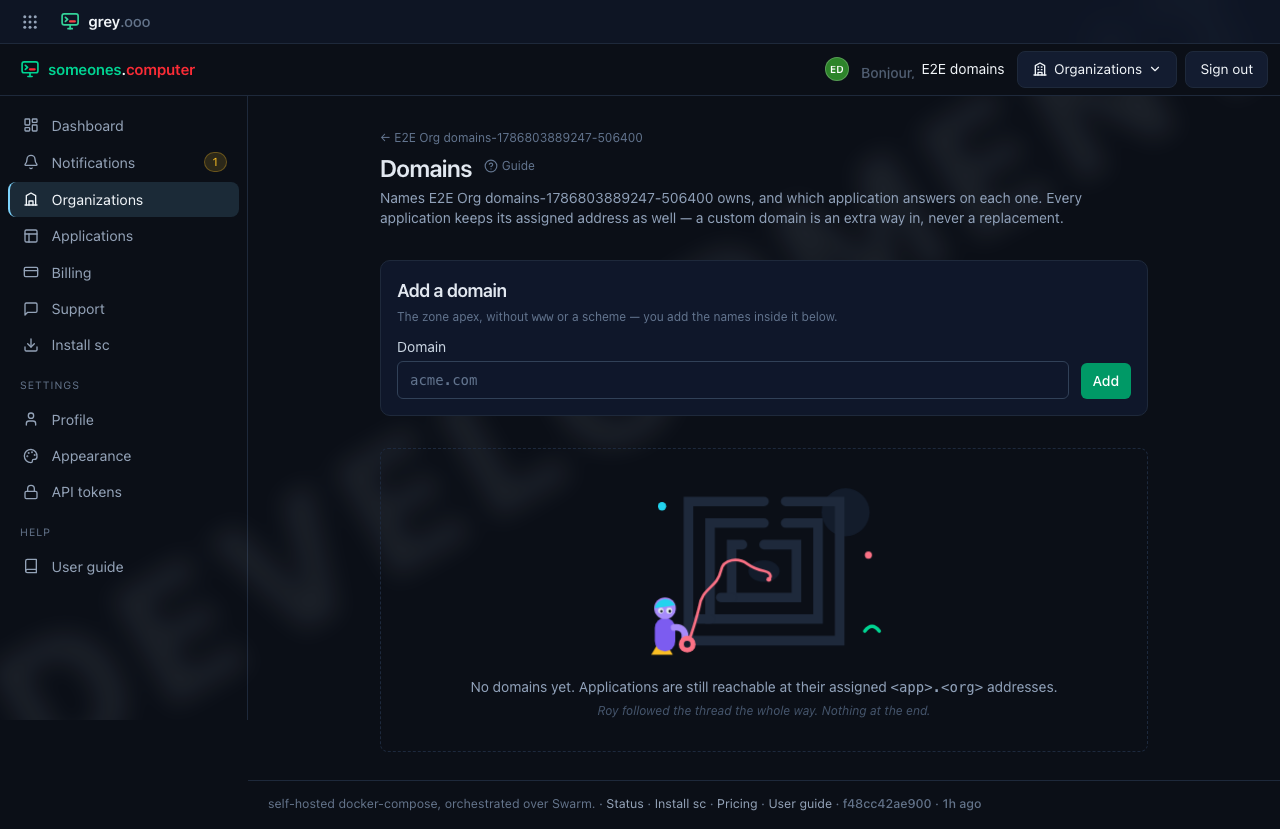
A name can only be claimed once across the whole platform. If someone else already holds it you'll be told so rather than ending up with two organizations whose traffic the edge can't tell apart.
Pointing a name at an application
Each entry under a domain is a record: a subdomain, an application, and—only when the application serves HTTP from more than one service—which service.
| Field | Meaning |
|---|---|
| Subdomain | www, api.eu, or blank for the apex (acme.com itself) |
| Application | Any application in this organization |
| Service | Optional. Blank means "the only HTTP service"; required when there are several |
| Deployment | Optional. A deployment name, such as production or staging. Only that deployment answers on the name. Blank means every deployment of the application answers |
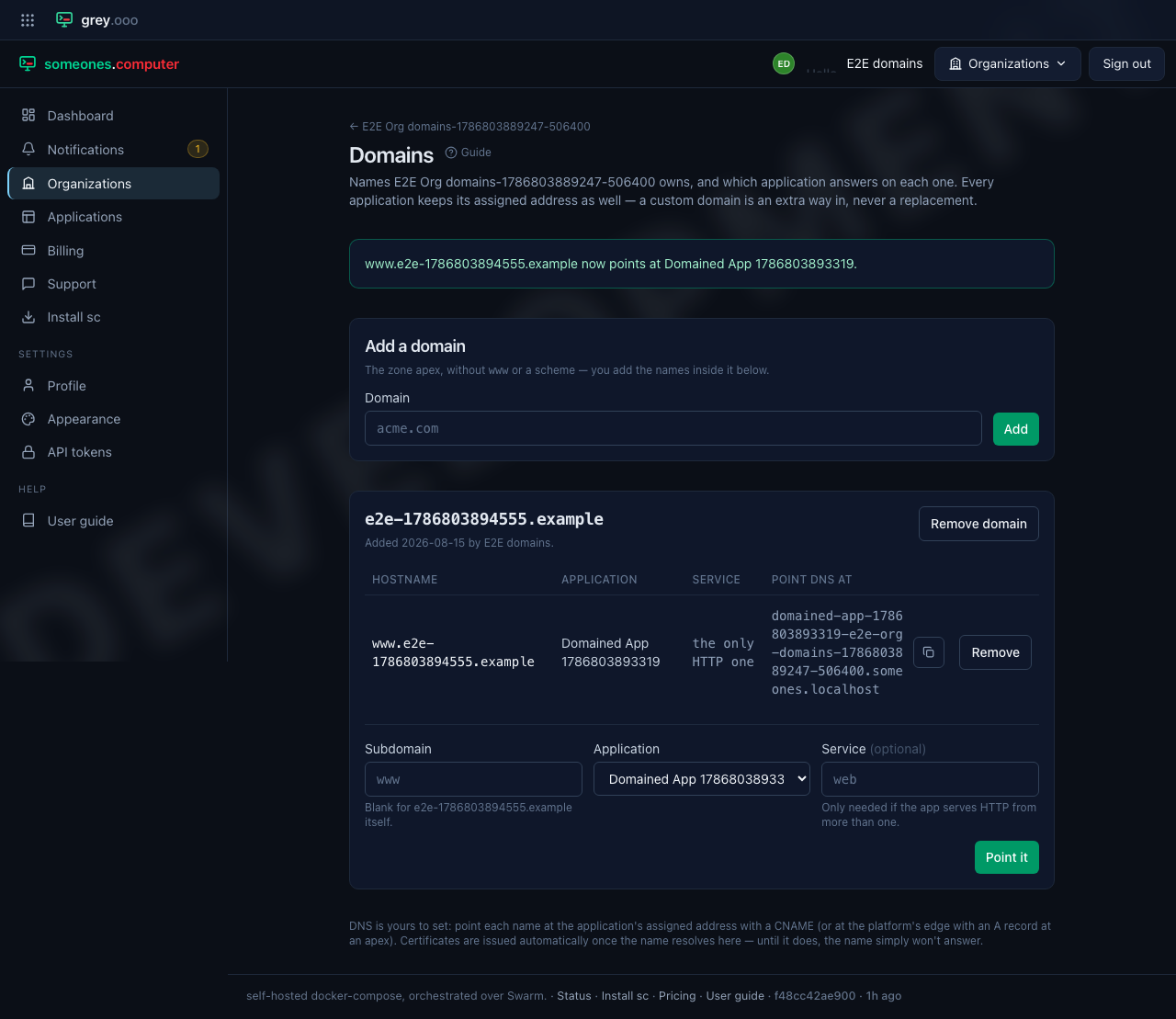
Setting a subdomain that already exists repoints it—the record is the statement
"www is the shop", not a stack of them.
Proving you own the name
A new record is Pending. It doesn't route until you prove you control the name.
Add a text record of type TXT at your Domain Name System (DNS) provider. The Domains page shows the exact name
and value, each with a copy button, and the time of the last check.
| Field at your provider | Value |
|---|---|
| Type | TXT |
| Name | _someonescomputer-challenge.www.acme.com (the name on the page) |
| Value | someonescomputer-verification= and a token (the value on the page) |
The platform looks for the record every 5 minutes. Select Check now to look at once. When it finds the record, the badge changes to Active and the name starts to answer. There is no failed state. A record stays Pending until the check passes, and the last check time shows that the platform is still looking. Once a record is Active, it stays Active.
Holding a name for one deployment
An application can run more than one deployment at once. For example, staging
runs from the main branch, and each pull request runs a preview. With the
Deployment field blank, each of them answers on the name. Put a name in the field to
keep the name on one deployment:
| Deployment field | Who answers on shop.acme.com |
|---|---|
| Blank | Every deployment of the application, previews too |
production |
The production deployment only |
The name must match the deployment name exactly, as sc shows it. A record that
names a deployment that isn't running stays stored. The platform starts to use it
when that deployment deploys.
A preview never takes the name from a record that names another deployment. See which deploy becomes current for how a preview stays beside the current revision.
A subdomain for each deployment
Tick Give each deployment its own subdomain on a record to give every named
deployment its own name, one level under the record. Previews get a name with
no change to the record. For the record app.acme.com:
| Hostname | Answers for |
|---|---|
app.acme.com |
What the Deployment field says: one deployment, or every one |
staging.app.acme.com |
The staging deployment |
chore-brand-kit.app.acme.com |
The chore-brand-kit deployment, a pull request preview |
- The subdomain is the deployment name in lowercase, with each run of other
characters changed to one hyphen.
chore/brand-kitbecomeschore-brand-kit. - An unnamed deployment gets no subdomain. Nor does a name longer than 63 characters.
- The names nest under the record, so they never collide with your other records.
- The Domains page shows example names as you fill in the record. It uses the real deployment names of the application where it has some.
Add one wildcard Domain Name System (DNS) record that covers every one of these
names: *.app.acme.com. Make it a Canonical Name (CNAME) record, with the same
target as the record itself. The page shows it beside the record.
DNS is yours to set
The platform never touches your nameservers. Point each name at the application's assigned address with a CNAME (the page shows the exact target, with a copy button), or at the platform's edge with an A record if you need the apex.
Certificates are issued automatically once a name resolves here. Until it does, the name simply won't answer—nothing has gone wrong, and there's nothing to retry.
Nothing checks your DNS yet. A record starts routing as soon as you add it, whether or not the name points here. A typo'd hostname is inert rather than harmful, but it will sit in the routing table looking like it should work.
Where a domain shows up
The application's own page lists every address it answers on, assigned first:
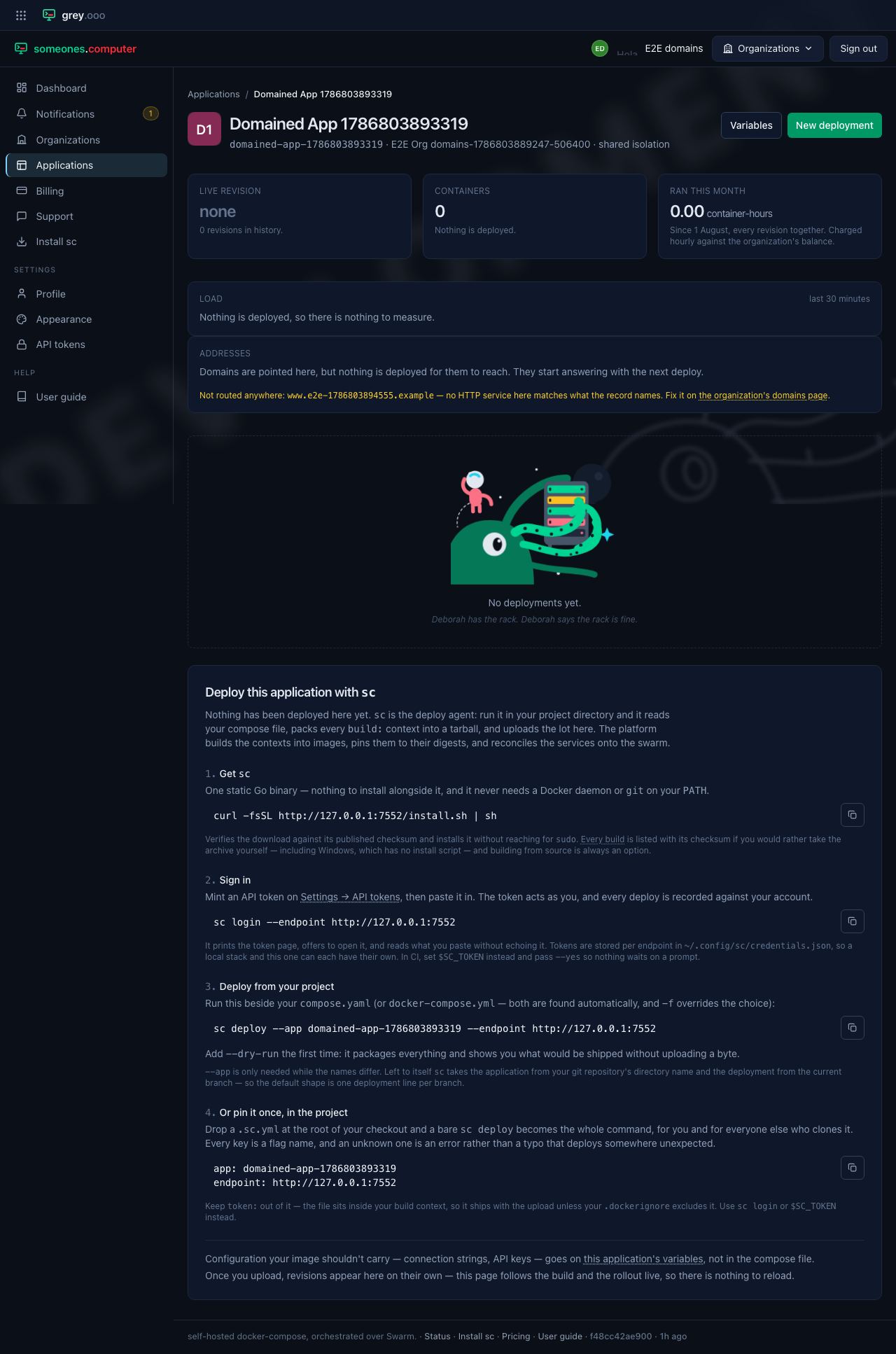
A record the platform can't attach to a service is called out there in amber rather than left silently dead. That happens in two cases:
- the record names a service that has since been renamed in your compose file; or
- it names no service for an application that serves HTTP from several.
Both are fixed by editing the record on the organization's domains page.
When a change takes effect
Adding, repointing, or removing a record re-labels the running services in the background—usually within a second or two, without a redeploy. If you haven't deployed anything yet, the platform stores the record and starts using it with the first deploy.
Free domains
Each application also answers on one of the platform's free domains, snarl.dev
or starshp.dev, at no cost. The full name has four levels:
web.staging.shop.snarl.dev is the web service of the staging deployment of
an application labelled shop. Open Pool-domain label from the
application's page to change any of these settings:
| Setting | What it does |
|---|---|
| Label | The shop part. Blank uses the application's slug |
| Pool domain | snarl.dev or starshp.dev. The platform picks one on the first deploy. A move changes every pool name of the application, and the old names stop working |
| Short name | shop.snarl.dev on its own, for one deployment. Other deployments keep their four-level names |
A label is unique on its own pool domain. If another application holds shop on
snarl.dev, you can still take shop on starshp.dev.
For the short name, give the deployment, for example production. Leave it
blank for the unnamed deployment. Give the service only when the deployment
serves HTTP from more than one. The platform creates the record in the zone for
you, so there is nothing to add yourself.